
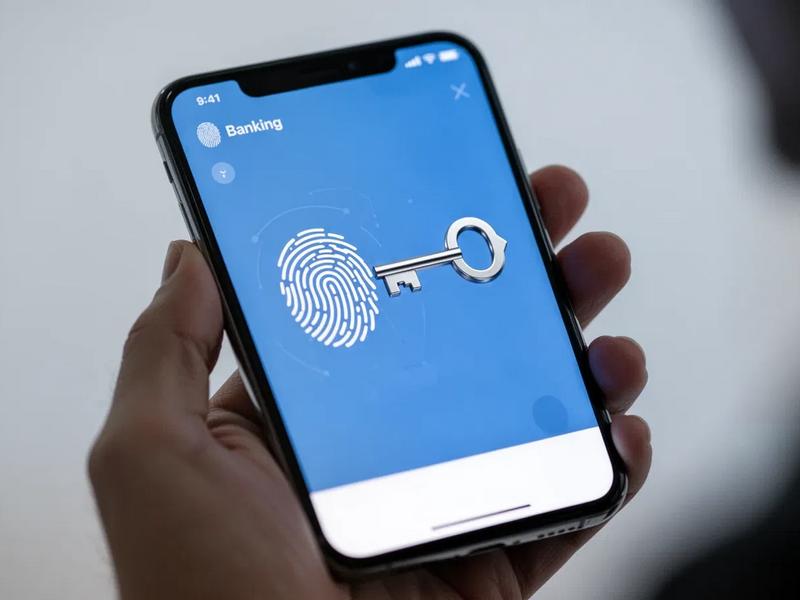
Passwords have been part of online banking for so long that logging in with one can feel almost inseparable from account security. A user enters an email, username or customer number, types a password and may then confirm the login with a code or another authentication step. The problem is that passwords create weaknesses as well as protection.
People forget them, reuse them across different services and sometimes enter them into convincing phishing pages. Financial apps can add more authentication layers, but every additional step also adds friction.
Passkeys offer a different approach. Instead of asking users to remember another secret, they allow a device to confirm identity using cryptographic credentials and the same authentication methods people already use to unlock their phones or computers. For banking apps, that could change both security and the everyday login experience.
A passkey replaces something the user has to remember
A traditional password is a shared secret. The user knows it, and the service needs a way to verify that the entered password is correct. That creates an obvious usability problem: people have to remember the secret.
Passkeys work differently. A credential is created for the account, with cryptographic keys used during authentication. The private part is protected on the user’s device or within the credential system rather than being typed into a login field.
From the user’s perspective, the process can be much simpler. Instead of entering a password, they may confirm a login with a fingerprint, face recognition, device PIN or another screen-unlock method. The important change is therefore not simply that login becomes faster. The user no longer has to repeatedly provide a reusable password to the service.
Phishing becomes more difficult when there is no password to steal
Banking customers are frequent targets for phishing. A fraudulent message might claim that an account has been restricted, a suspicious payment was detected or identity verification is required. The link then leads to a page designed to imitate the bank’s real login screen. Passwords fit neatly into this type of attack because users can be persuaded to type them into the wrong website.
Passkeys are designed around a different authentication model. Credentials are associated with the legitimate service, which makes them much more resistant to conventional credential phishing. That does not eliminate fraud. A criminal can still attempt social engineering, convince someone to approve a payment or manipulate a victim into sharing other information. But removing a reusable password closes one familiar route into an account. For a banking app, that distinction matters.
Password resets are a security process of their own
The login screen is only one part of password-based authentication. Banks also need to deal with forgotten passwords. A user who cannot remember a password needs another way to prove ownership of the account. That can involve email links, SMS codes, security questions, identity checks or support interactions.
Each recovery route becomes another process that needs to be protected. There is also a usability cost. Someone who needs urgent access to an account may have to move through several screens before they can even see their balance.
Passkeys can reduce dependence on conventional password-reset flows, although they create recovery questions of their own. The challenge shifts from “What happens if I forget my password?” toward “What happens if I lose access to my device or passkey?” That is not a minor detail for financial services.
Banking apps cannot assume one device will always be available
A customer may set up a banking app on a phone and use that device every day for several years. Until the phone is lost, stolen, damaged or replaced. A good passkey implementation therefore needs to consider account recovery from the beginning.
Users need to understand what happens when they buy a new phone, switch between operating systems, use a desktop browser or temporarily lose access to their primary device.
The experience should not become so dependent on one authentication method that losing a phone effectively means losing convenient access to the bank. This makes recovery design just as important as the login button itself.
Biometrics and passkeys are related, but they are not the same thing
The distinction can be confusing because the user experience may look almost identical. A banking app might say Sign in with Face ID or display a fingerprint prompt. The user sees their face or fingerprint as the authentication method. Behind the interface, however, biometrics can serve different purposes. A fingerprint might simply unlock a locally stored banking session. In another implementation, device authentication can authorize use of a passkey.
The biometric itself is not the passkey. This distinction matters when banks explain the feature. Users do not necessarily need a technical lesson in public-key cryptography, but they should have a reasonable idea of what is being enabled and where the credential is used. Calling every passwordless-looking login “biometric authentication” can hide meaningful differences.
Passkeys can remove friction from frequent banking sessions
Banking apps occupy an unusual position among digital products. Some users open them frequently. They check balances before purchases, confirm whether salary has arrived, review transactions, move money between accounts or approve payments. Entering a long password every time would quickly become irritating.
Apps already solve part of this problem with device biometrics and trusted sessions. Passkeys can extend that simpler authentication experience across more login situations without returning to the traditional password as often.
A typical interaction could become:
- Open the banking app or website.
- Select the account or passkey.
- Confirm identity on the device.
- Access the account.
The security mechanism remains significant, but much of its complexity stays out of the user’s way.
A simpler login does not mean every action should become equally simple
Opening an app and sending a large bank transfer are not the same risk. That remains true with passkeys. Financial apps can use different levels of verification depending on what the customer is attempting to do. Viewing a balance may require one level of assurance, while adding a new payee, changing personal information or approving a high-value transaction may require another.
This is where passwordless authentication needs to fit into a broader security model. A passkey can help establish who is accessing an account. The bank still needs controls around what happens after access has been granted. That can include transaction authorization, fraud monitoring, device intelligence, behavioural signals and additional verification for unusual activity.
New-device alerts become more important
When authentication becomes closely connected to devices, customers need visibility into which devices can access their accounts.
A banking app could maintain a straightforward device list showing information such as:
| Information | Why it matters |
|---|---|
| Device name | Helps the user recognize the device |
| First registered | Shows when access was established |
| Last active | Helps identify unused or unfamiliar access |
| Authentication method | Explains how the device signs in |
| Remove access | Gives the user direct control |
Notifications can provide another layer of awareness. If a new device is registered or a new passkey is added, the account holder should be able to recognize that event quickly. Security becomes easier to manage when trusted access is visible rather than hidden somewhere deep inside settings.
Shared and public devices need careful handling
A phone owned and controlled by one person is relatively straightforward. A shared computer is not. Banking services need to make it clear when a passkey is being created, where it may be stored and whether the current device should be trusted. A customer logging into online banking from a family computer should not accidentally create persistent access that another person can use later.
The interface can help by distinguishing between simply authenticating for the current session and establishing a new credential or trusted device. Small pieces of wording matter here. Buttons such as Continue, Remember this device and Create a passkey describe very different actions and should not be presented as though they are interchangeable.
Passwords may not disappear immediately
Moving toward passkeys does not necessarily mean a bank removes passwords overnight. Financial institutions have customers using different devices, browsers and accessibility setups. Some people may have older hardware. Others may not be comfortable enabling a new login method immediately. A transition period can therefore involve several authentication options existing at the same time.
That creates another UX challenge. If an app supports passwords, passkeys, biometrics and one-time verification codes, the login screen can easily become cluttered. Users need to understand which method is recommended without feeling locked out when their preferred option is unavailable. The strongest design may make passkeys prominent while keeping alternative recovery and access routes easy to find.
Passwordless login can also change customer support
Authentication problems often become support problems. Forgotten credentials, locked accounts, expired codes and changed phone numbers can all generate customer-service requests. Passkeys may remove some of those issues, particularly those associated with forgotten passwords. But support teams will encounter different questions instead.
Customers may ask how to move access to a new phone, remove a lost device, use their account on a computer or recover access when their normal authentication method is unavailable.
Support content therefore needs to evolve alongside the login technology. A bank cannot introduce a new authentication model only on the sign-in screen. Help centres, security pages and account-recovery processes need to explain the same system consistently.
Users should be able to review their security setup
Banking apps already display balances, cards, transactions and payment settings. Security could become similarly visible. A dedicated security screen might show whether a passkey is active, which devices are trusted, when the account was last accessed and what recovery methods are available. The goal is not to overwhelm users with technical information.
It is to answer practical questions:
How do I currently sign in?
Which devices have access?
What happens if I lose this phone?
How can I remove a device I no longer use?
What alternative method can I use if authentication fails?
Those answers are more useful to most customers than a detailed description of the cryptography underneath the feature.
Passkeys will not replace fraud prevention
It would be easy to present passwordless authentication as a complete solution to account security. It is not. Fraud can happen after a legitimate login. Customers can be manipulated into transferring money themselves. Devices can be compromised. Criminals can impersonate support staff or persuade users to approve actions they do not fully understand.
Banks still need multiple layers of protection. The value of passkeys is more specific: they can reduce reliance on reusable passwords and make certain credential-based attacks substantially harder while improving the login experience. That is already a meaningful change without treating the technology as a universal answer to fraud.
The biggest improvement may be something users barely notice
Security features often become visible only when they create friction. A password is forgotten. A verification code does not arrive. A login is blocked. A customer has to reset credentials before making an urgent payment. Passkeys have the potential to make authentication less noticeable.
The customer opens the app, confirms identity using a familiar device interaction and continues with what they actually wanted to do. Behind that short interaction is a different security model, but the user does not need to think about it during every login. For banking apps, that combination is particularly attractive. Stronger authentication is valuable, but so is reducing the number of moments when security feels like an obstacle.
Banking authentication is becoming more device-centered
Passwords are unlikely to vanish from financial services all at once. They are deeply embedded in existing account systems, recovery processes and customer habits. The direction, however, is changing. Passkeys give banking apps a way to move authentication away from secrets customers repeatedly type and toward credentials protected by the devices they already use.
That can reduce password-related friction and make traditional phishing more difficult, but implementation matters. Customers still need reliable recovery, clear device management, understandable security settings and appropriate protection for sensitive actions after login. The most successful passkey experiences may therefore be the ones that attract the least attention. Instead of making authentication feel more technical, they make it feel simpler while keeping the security decisions underneath the interface carefully controlled.
